> ## Documentation Index
> Fetch the complete documentation index at: https://docs.trieve.ai/llms.txt
> Use this file to discover all available pages before exploring further.
# Introduction
## Background
Trieve is an API first service for self-serve users. We offer a [70+ route athletic and powerful API](/api-reference) that allows developers to build custom solutions on top of our platform. However, we didn't enjoy doing traditional "sales" for developers on the API and wanted to offer a product that would work better with a more sales-led approach. To that end, we built Trieve SiteSearch, an open source react component [github.com/devflowinc/trieve/tree/main/clients/search-component](https://github.com/devflowinc/trieve/tree/main/clients/search-component) that we could create nice demos with and sell to decision-makers at companies directly.
Our goal with this documentation is to make it as easy as possible for anyone to self-serve and get started with Trieve SiteSearch. However, given the nature of the product fitting into a sales-led approach, we will always prioritize the needs of Trieve's sales team over the needs of the self-serve user. If you have any questions or need help, please reach out to us at [humans@trieve.ai](mailto:humans@trieve.ai).
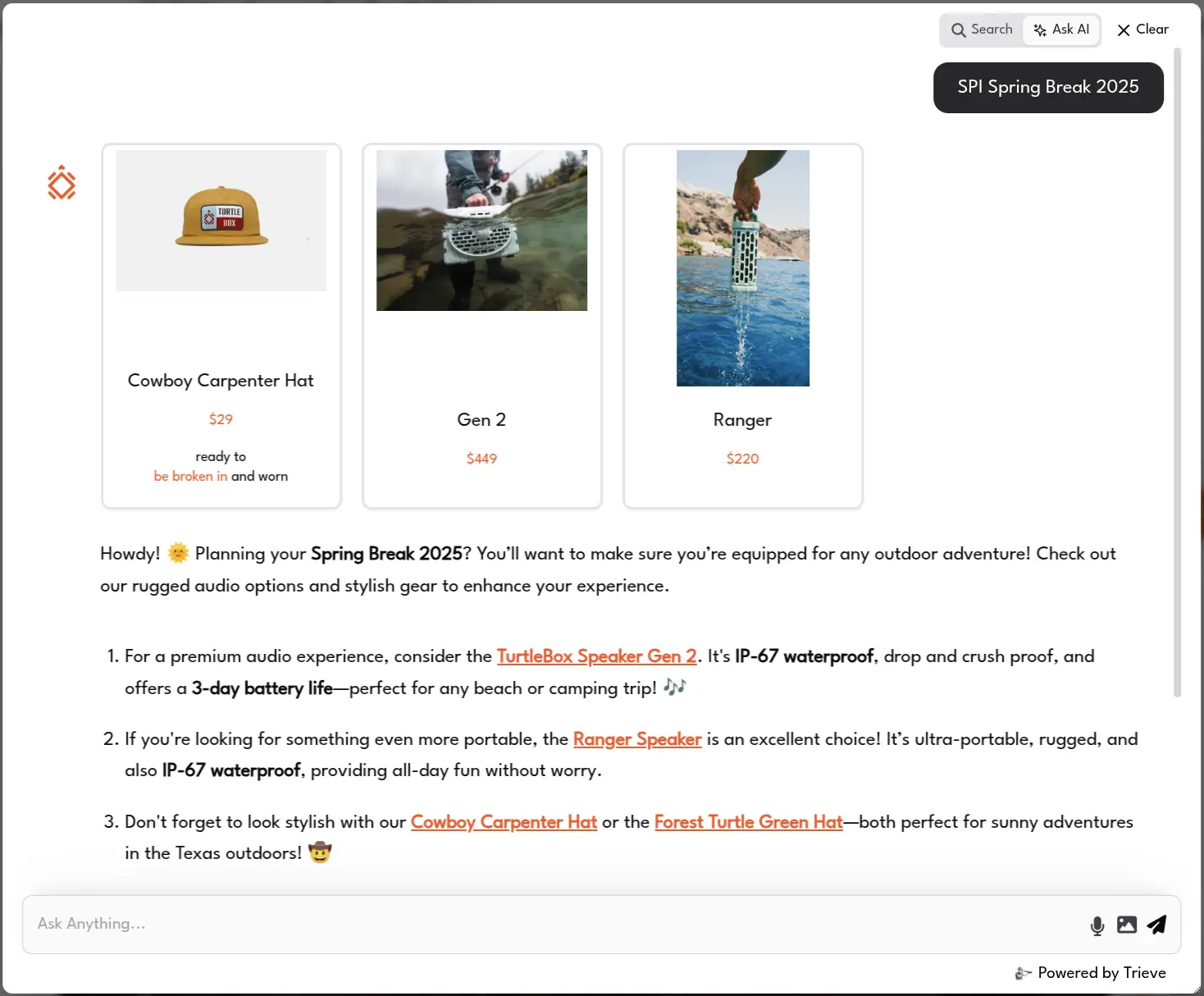
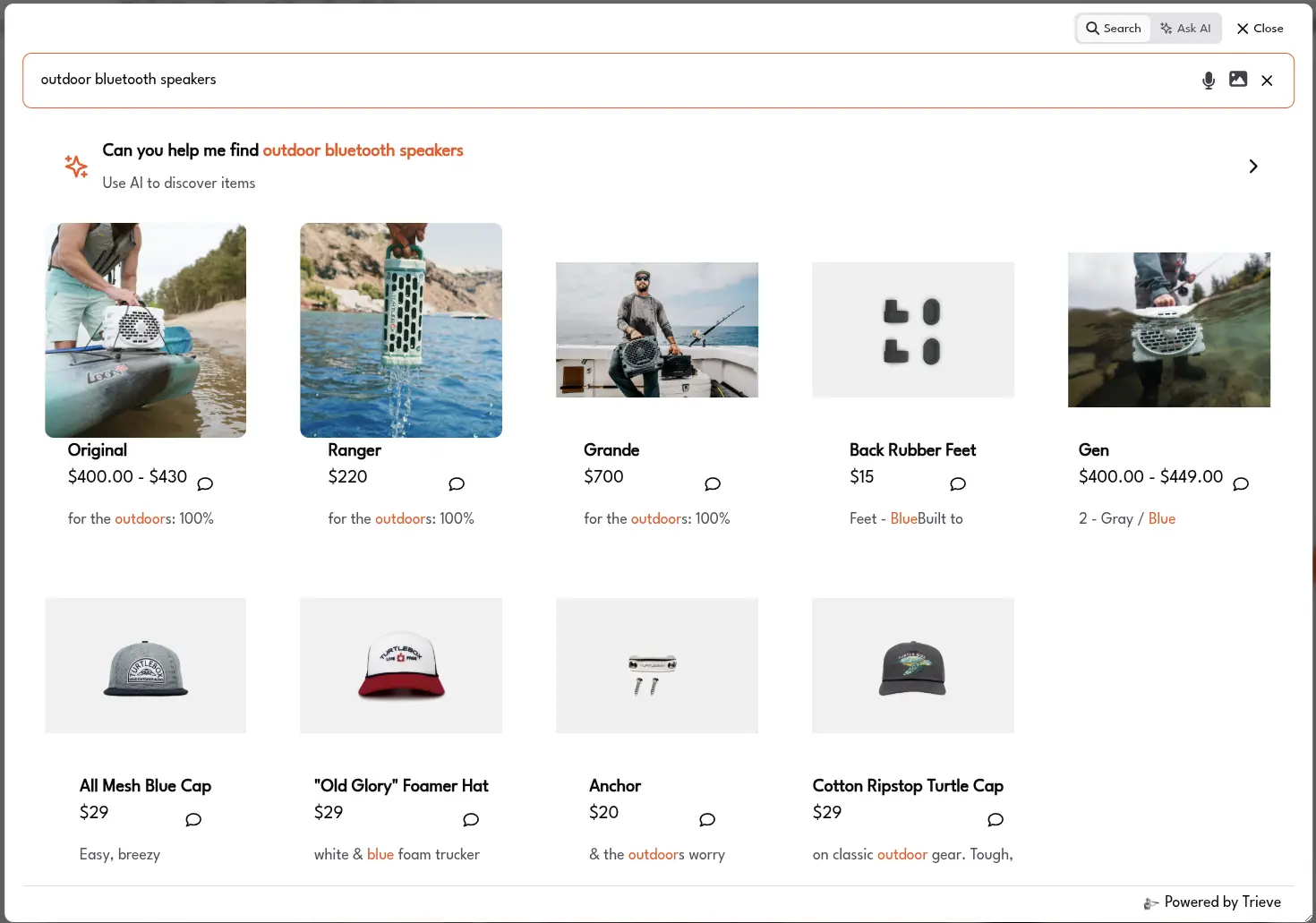
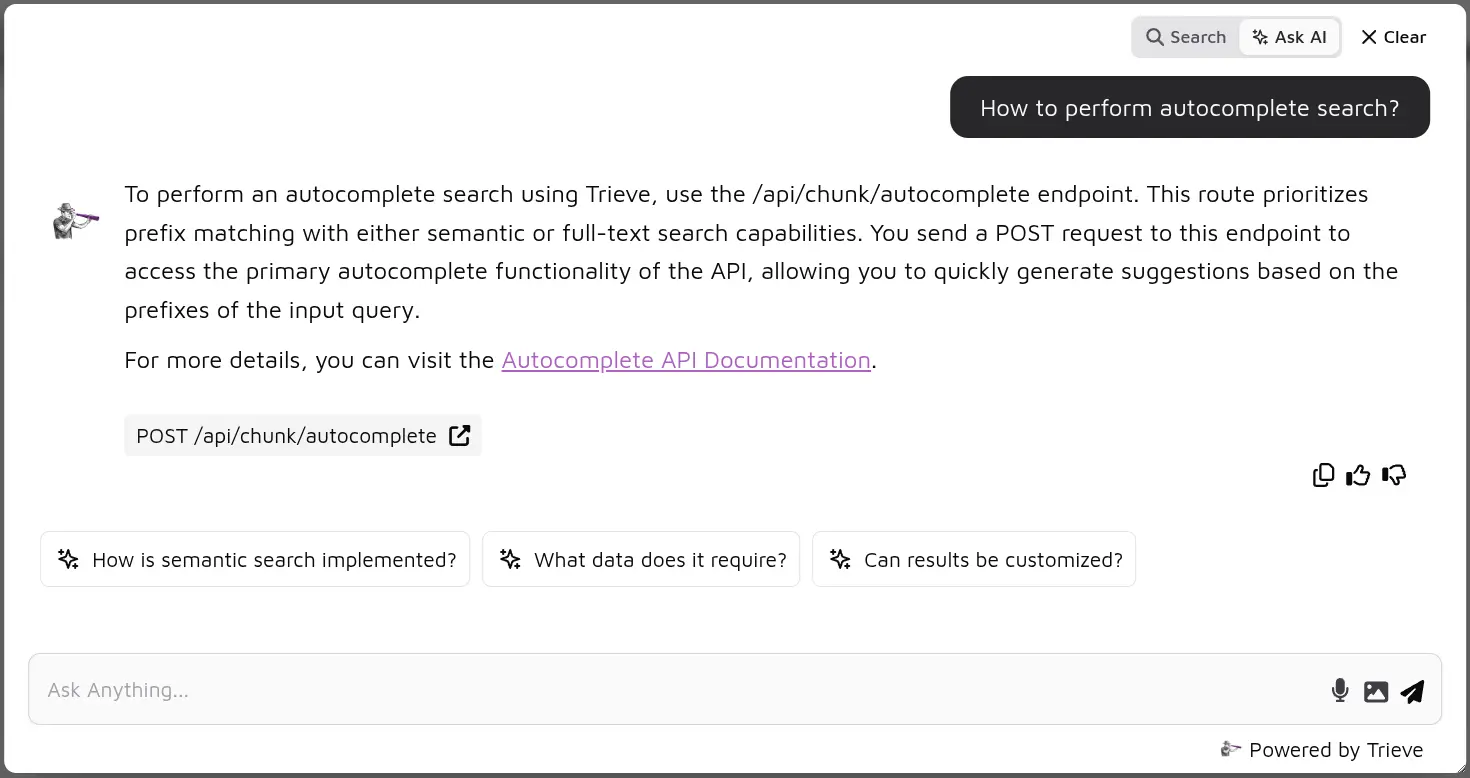
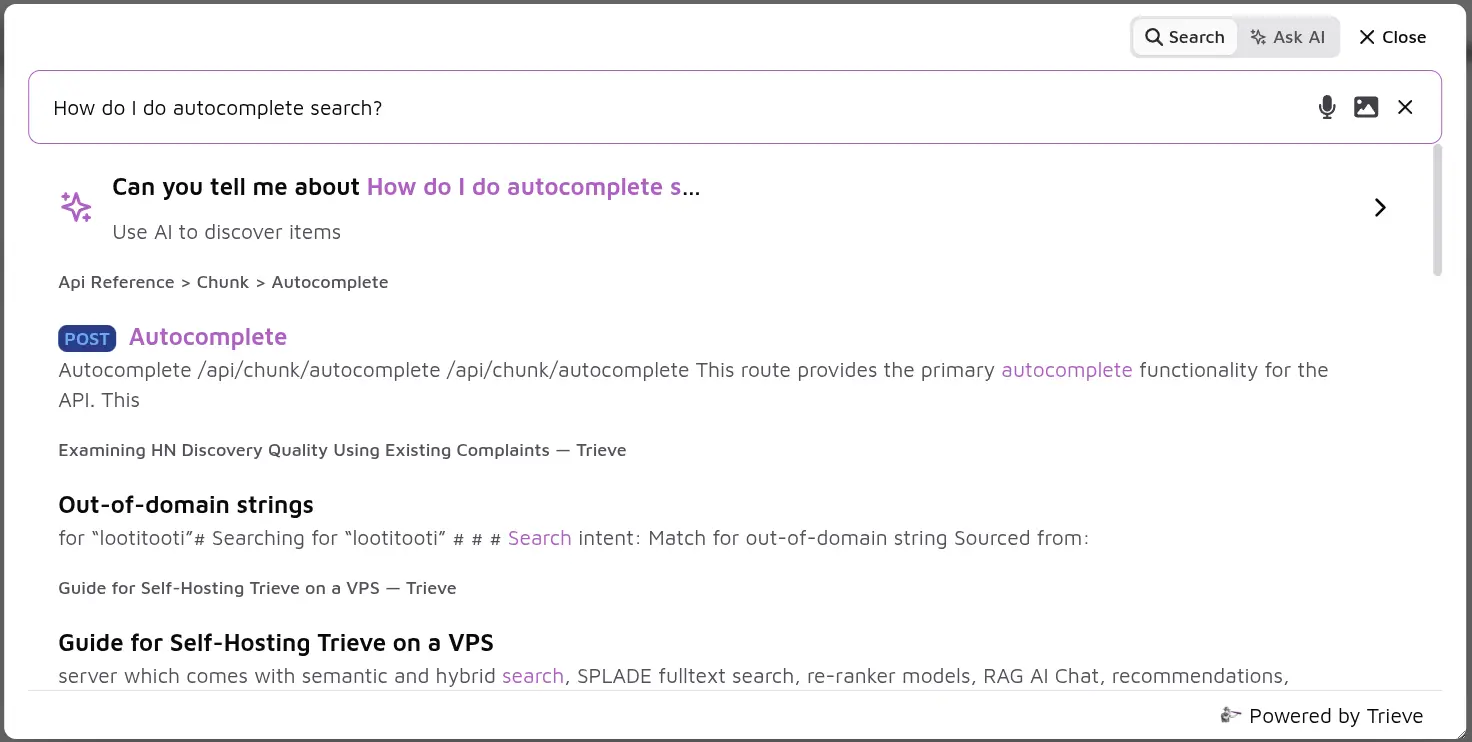
## Visual Examples of Trieve SiteSearch in Action
See what Trieve SiteSearch looks like on ecommerce and content sites.
 ## Step by step guides for different use cases
Learn how to setup a scrape of any shopify store, configure the web
component, and add the script tag to your site.
Learn how to setup a scrape of any help center, blog, or content site,
configure the web component, and add the script tag to your site.
Learn how to setup a scrape of any youtube channel, configure the web
component, and add the script tag to your site.
## Step by step guides for different use cases
Learn how to setup a scrape of any shopify store, configure the web
component, and add the script tag to your site.
Learn how to setup a scrape of any help center, blog, or content site,
configure the web component, and add the script tag to your site.
Learn how to setup a scrape of any youtube channel, configure the web
component, and add the script tag to your site.